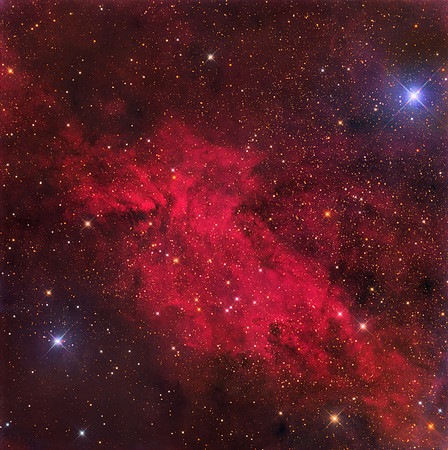
Sh2_154_HaRGB_viaPhotoshop_SelectiveColour_ColourBalance
Scope: 12.5" Planewave CDK
Camera: Apogee U16M (16803 ccd) w Astrodon Gen II filters
Mount: Paramount ME
31 x 20 minutes H-Alpha
10/8/10 x 10 min each of Red, Green and Blue
Processing in PixInsight:
RGB: Gradient removal, SPCC, BlurX, NoiseX, StarX, Curves, HT, Stars stretched separately then added back, masked Saturation boost to highlights, save as TIFF
H-Alpha: Gradient removal, BlurX, NoiseX, StarX, Curves, save starless image as TIFF
Using the HaRGB_Combine process set, I created an HaRGB image as well as.
Processing in Photoshop:
The HaRGB from PixInsight was adjusted with a Selective Colour layer (-50% Cyan) and Colour Balance layer +10 to Red highlights
Took the pure RGB, Split Channels; Ha added to Red @ 100% using Screen; added to Blue @ 20% using Screen; Merge Channels; Selective Colour adjustment; noise reduction in shadows. Save for Web
Lucknow, Ontario, Canada
July 2025